30:00

50% off annual

Official model research + this site’s current integration workflow

Seedream 5 Pro AI Image Generator

Use Seedream 5 Pro for text-to-image or reference-guided creation through this site’s current integration, with 1K or 2K output. Learn which advanced capabilities official model documentation documents for the model and which controls this web interface actually exposes.

Create with Seedream 5 Pro
Model
Add Images0/8
Curated Prompts
0/5000
Output Number
Aspect Ratio
Resolution

What is Seedream 5 Pro?

official model documentation describes Seedream 5.0 Pro as a multimodal image generation model with advanced reasoning, efficient content creation, and professional production capabilities. Its official showcase focuses on high-density infographics, interactive precision editing, and native multilingual generation.

This page accesses Pro through this site’s current integration rather than official model documentation’s complete native production interface. The available controls are a prompt, up to 10 reference image URLs, seven aspect ratios, Basic 1K or High 2K quality, and PNG or JPEG output. official model documentation’s spatial annotations, sketch guidance, and layer separation are important verified model capabilities, but they are not controls offered by this this site’s current integration integration.

What Pro specifications are available through this site’s current integration?

These are the parameters you can use on this page. They should not be confused with every capability shown in official model documentation’s native product demos.

ModelOutputReference imagesAspect ratiosCreditsBest fit
Seedream 5 ProBasic 1K / High 2K101:1 · 4:3 · 3:4 · 16:9 · 9:16 · 2:3 · 3:2110 / 215 (+10)The brief contains multiple information levels, content zones, or language requirements.

Prompt: 3–3000 characters · Input: JPEG / PNG / WebP · Maximum documented input size: 10 MB/image · Output: PNG / JPEG

What can a Seedream 5 Pro brief emphasize?

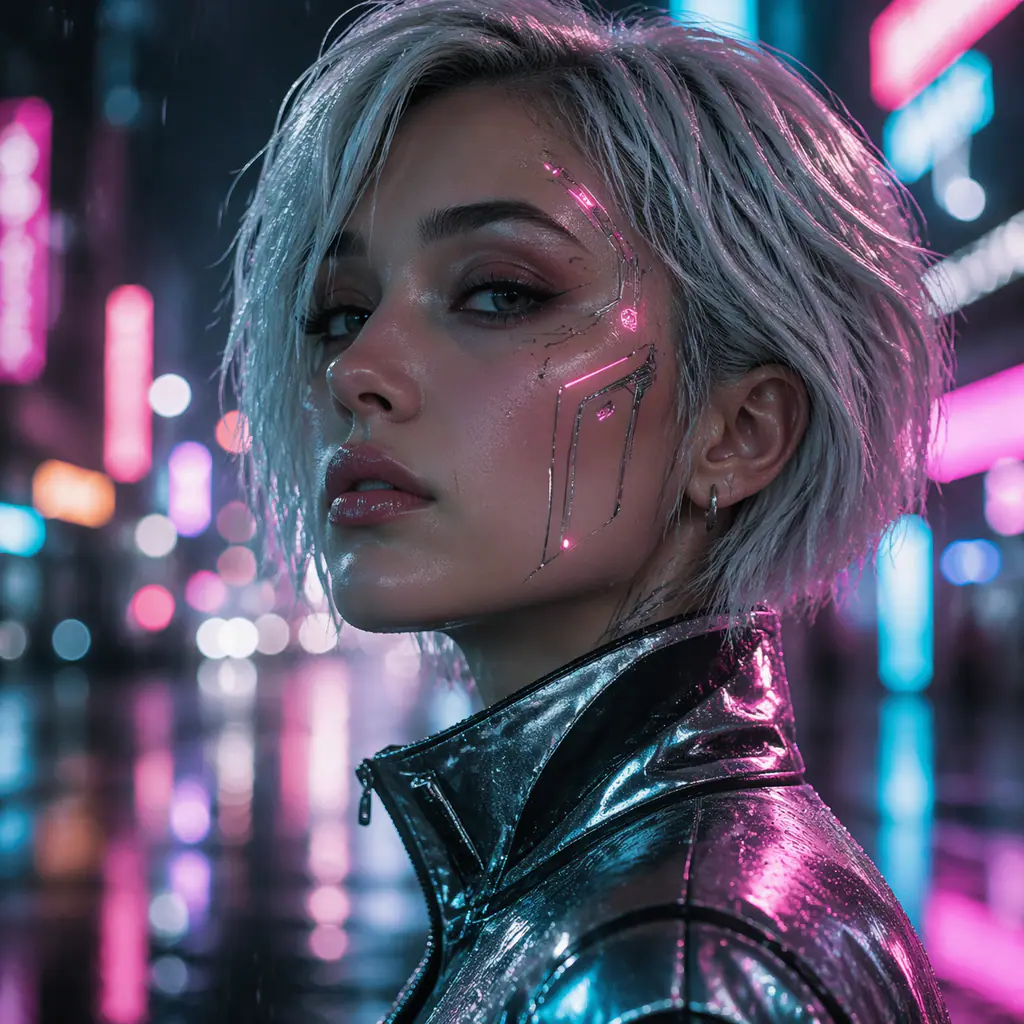
These visuals demonstrate detailed material, cinematic, architectural, and narrative briefs. They are examples, not controlled comparisons against other models.

Seedream 5 Pro: Luxury macro: intricate metal and glass surfaces, controlled highlights, shallow depth, and a dark premium product setting.
Luxury macro: intricate metal and glass surfaces, controlled highlights, shallow depth, and a dark premium product setting.
Seedream 5 Pro: Cinematic portrait: a close human subject, complex spacecraft environment, directional light, and clear narrative context.
Cinematic portrait: a close human subject, complex spacecraft environment, directional light, and clear narrative context.
Seedream 5 Pro: Architectural visualization: sculptural geometry, material realism, golden-hour light, landscape integration, and reflective water.
Architectural visualization: sculptural geometry, material realism, golden-hour light, landscape integration, and reflective water.
Seedream 5 Pro: Narrative creature scene: detailed fur, atmospheric depth, environmental light, and a centered cinematic subject.
Narrative creature scene: detailed fur, atmospheric depth, environmental light, and a centered cinematic subject.

What does official model documentation officially highlight about Seedream 5 Pro?

The official model page identifies three production-oriented areas. Each item below also states the boundary of this implementation.

Seedream 5 Pro — High-density infographics

High-density infographics

official model documentation says Pro can organize complex information and produce text-rich images for education, professional work, and specialized scenarios. Its examples include structured diagrams, technical drawings, interfaces, and information-heavy layouts.

Available on the official model; not exposed by this this site’s current integration interface: This page accepts a plain prompt and optional references. Generated facts and important text still require human verification.

Seedream 5 Pro — Interactive precision editing

Interactive precision editing

The official showcase demonstrates responses to spatial annotations and sketch-based guidance, including edits that preserve surrounding layout and targeted visual changes.

Available on the official model; not exposed by this this site’s current integration interface: The this site’s current integration endpoints used here accept image URLs but no masks, coordinates, annotation objects, or sketch-control fields.

Seedream 5 Pro — Layer separation

Layer separation

official model documentation lists layer separation as part of the model’s professional editing possibilities, supporting production workflows beyond a single flattened image.

Available on the official model; not exposed by this this site’s current integration interface: This site currently returns a flattened PNG or JPEG. It does not return editable layers or a layered project file.

Seedream 5 Pro — Native multilingual generation

Native multilingual generation

official model documentation states that Pro natively supports more than a dozen widely used languages for prompting and image generation, including examples with multilingual posters, translation, and right-to-left layouts.

Available on the official model; not exposed by this this site’s current integration interface: Language support is a model-level claim. Users should proofread all visible text, especially regulated, technical, or public-facing material.

Where is Seedream 5 Pro most useful on this site?

Use Pro when the brief itself is complex and benefits from explicit hierarchy, not simply because the word Pro appears in the model name.

Seedream 5 Pro workflow — Information-rich campaign concepts

Information-rich campaign concepts

Describe the information hierarchy, exact headings, content zones, visual system, and reading order. Treat the result as a design concept until every fact and line of text is reviewed.

Seedream 5 Pro workflow — UI and professional visual concepts

UI and professional visual concepts

Specify page type, grid, modules, navigation, component hierarchy, copy, palette, and device format. Pro can explore a complete visual direction, while production UI should still be rebuilt as accessible code.

Seedream 5 Pro workflow — International poster exploration

International poster exploration

State the output language, exact copy, script direction, typography character, and layout. Use official model documentation’s documented multilingual positioning as a starting point, then proofread the generated asset.

Seedream 5 Pro workflow — Detailed reference-guided compositions

Detailed reference-guided compositions

Use references to anchor subject, environment, art direction, and layout. Pro supports up to 10 references through this site’s current integration, with the first included and each additional reference charged separately on this site.

How should Pro reference images be planned?

Complex production briefs still benefit from a small, legible reference set. Describe what to preserve and what can change.

Identity or product anchor

Put the clearest subject reference first. Name the shapes, colors, facial traits, packaging details, or proportions that should influence the result.

Layout and hierarchy

Use a second reference for section placement, visual reading order, camera framing, or negative space. Do not imply that it replaces a true coordinate or mask control.

Art direction

Add references for materials, lighting, typography mood, or rendering style. State that these images control treatment rather than the core subject.

this site’s current integration charges this site for Pro input images after the first, so the credit estimate adds 10 credits for each additional reference. More importantly, extra references can introduce conflicting instructions. Add only references with an explicit role.

How do you structure a complex Seedream 5 Pro prompt?

Write the brief in layers: deliverable, information hierarchy, exact content, layout, language, visual system, references, preservation rules, and exclusions.

Deliverable + audience + information hierarchy + exact text + layout and reading order + language + art direction + reference roles + preservation rules + exclusions.
Seedream 5 Pro prompt example — Educational infographic

Educational infographic

Create a vertical 4:5 educational infographic explaining the six major tea types. Title at top, central flavor wheel, six labeled tea sections, oxidation bars and brewing-temperature indicators. Warm paper texture, navy and sage palette, generous spacing, readable English labels, no invented statistics.

Defines hierarchy and tells the model not to fabricate quantitative information.

Seedream 5 Pro prompt example — SaaS landing-page concept

SaaS landing-page concept

Create a 16:9 desktop SaaS homepage concept. Top navigation, left-aligned headline and two actions, right-side product visualization, three proof points below. Use reference 1 for layout only and reference 2 for color and materials. Clear English copy, accessible contrast, no fake customer logos.

Separates layout and art-direction references and avoids false social proof.

Seedream 5 Pro prompt example — Multilingual public poster

Multilingual public poster

Create a 4:5 public transport safety poster with one warning icon and the same short instruction in English, Chinese, Japanese, and Korean. Keep each language in a separate aligned row, white background, yellow warning accents, black pictograms, no decorative text. Preserve the exact supplied wording.

Names languages, reading structure, visual system, and exact-copy requirement.

Seedream 5 Pro prompt example — Reference-guided cinematic scene

Reference-guided cinematic scene

Create a 16:9 cinematic rain-night pursuit. Keep the black sedan design from reference 1, use reference 2 for wet neon lighting, and reference 3 for the low tracking-camera angle. Strong motion cues, physically consistent reflections, clean widescreen frame, no words, no logos.

Assigns one responsibility to each reference and keeps the this site’s current integration request achievable.

Choose Pro when

  • The brief contains multiple information levels, content zones, or language requirements.
  • You want a production-oriented visual concept at 1K or 2K.
  • Reference-guided composition matters more than 4K or a 21:9 canvas.

Current interface limitations

  • !No spatial annotation, coordinate, scribble, or mask field is sent to this site’s current integration.
  • !No editable layer file is returned; outputs are flattened PNG or JPEG images.
  • !Generated facts, diagrams, translations, and visible text require human review.

Should you choose Seedream 5 Pro or Lite?

Pro is the stronger research-backed choice for complex, information-rich, multilingual, and production-oriented briefs. In this this site’s current integration integration, Lite remains the practical option when 4K output, 21:9, or up to 14 references matters more.

ModelOutputReference imagesAspect ratiosCreditsBest fit
Seedream 5 LiteBasic 2K / High 4K141:1 · 4:3 · 3:4 · 16:9 · 9:16 · 2:3 · 3:2 · 21:985You need 4K output or a 21:9 panoramic canvas.
Seedream 5 ProBasic 1K / High 2K101:1 · 4:3 · 3:4 · 16:9 · 9:16 · 2:3 · 3:2110 / 215 (+10)The brief contains multiple information levels, content zones, or language requirements.
Need 4K, 21:9, or more references? Compare Seedream 5 Lite.

Choose your perfect plan

Scale with more generations, 4K upscaling, and commercial rights.

30:00
60% Off
Limited Time Offer

Cancel anytime

Basic

$19.9 / month
$9.9 / month
Billed yearlySave 60% - Limited Time Offer!
18,000Credits/year
1,800images

What's included

  • Access to GPT Image 2
  • 2K quality image generation
  • Standard support
  • Watermark-free exports
Most Popular

Pro

$39.9 / month
$19.9 / month
Billed yearlySave 60% - Limited Time Offer!
48,000Credits/year
4,800images

What's included

  • Access to GPT Image 2
  • 2K + optional 4K upscaling
  • Priority technical support
  • Watermark-free exports
  • Early access to new features
  • Advanced batch processing
Best Value

Max

$99.9 / month
$59.9 / month
Billed yearlySave 60% - Limited Time Offer!
180,000Credits/year
18,000images

What's included

  • Priority Speed
  • Early access to new features
  • Access to GPT Image 2
  • 2K + optional 4K upscaling
  • VIP dedicated support
  • Watermark-free exports
  • Early access to new features
  • Advanced batch processing
Secure checkoutstripe

Credits activate instantly for GPT Image 2 image generation and editing workflows.

10 free credits on signupInstant credit deliveryWorks with GPT Image 2
Supported payment methods
Mastercard
Visa
American Express
Apple Pay
Google Pay
Link
UnionPay
JCB
Discover
SEPA

Seedream 5 Pro FAQ

Answers distinguish official model documentation’s official model claims from this site’s this site’s current integration controls.

What does official model documentation say Seedream 5 Pro is designed for?

official model documentation describes it as a multimodal image generation model with advanced reasoning, efficient creation, and professional production capabilities, highlighting infographics, interactive editing, and multilingual generation.

Does this page support Seedream 5 Pro spatial annotations or scribbles?

No. official model documentation demonstrates those capabilities, but the this site’s current integration endpoints used here do not expose masks, coordinates, annotations, or sketch-control parameters.

Can I download separated layers?

No. Although official model documentation lists layer separation as an official model capability, this this site’s current integration workflow currently returns a flattened PNG or JPEG image.

What resolution does Pro generate here?

this site’s current integration documents Basic quality as 1K and High quality as 2K for both Pro text-to-image and image-to-image requests.

How many references can Pro use?

The this site’s current integration image-to-image endpoint accepts up to 10 JPEG, PNG, or WebP references, each with a documented maximum size of 10 MB.

How are Pro credits calculated?

A 1K output costs 110 site credits and a 2K output costs 215. For image-to-image, the first reference is included and each additional reference adds 10 credits.

Can Pro generate accurate infographics and multilingual text?

official model documentation highlights those abilities, but any generated facts, labels, spelling, translation, and reading order must be checked by a person before publication.

Which aspect ratios are available through this site’s current integration?

The current Pro endpoints support 1:1, 4:3, 3:4, 16:9, 9:16, 2:3, and 3:2. Unlike Lite, the documented Pro endpoint does not include 21:9.

Which Seedream 5 Pro claims are verified?

Model-level claims on this page come from official model documentation’s official Seedream 5.0 Pro showcase. Available controls, limits, and output formats come from this site’s current integration’s endpoint documentation.

Sources reviewed July 11, 2026.

Keep exploring GPT Image 2

Continue with model comparisons, prompt ideas, and practical guidance inside GPT Image 2.

Seedream 5 Pro

Turn the next brief into an image

Return to the generator with the right Seedream 5 model already selected, or compare credit plans before a larger production run.